Mamma Ramona's Pizzeria31.0.9
Publisher Description


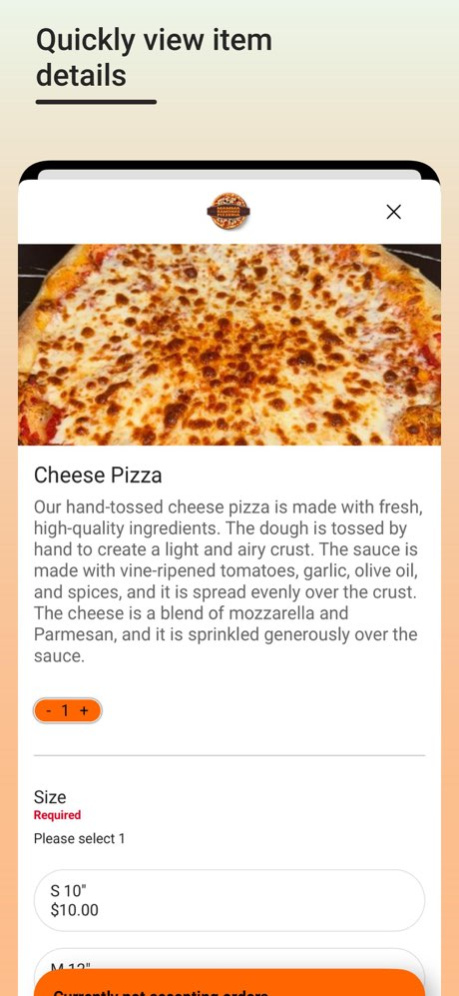
Use the Mamma Ramona's Pizzeria app to find your nearest location, view our menu, and place an order. Save time by ordering ahead. Discover the heart and soul of Italian cuisine at Mamma Ramona's Pizzeria: handcrafted pizzeria made with hand-rolled dough, love and expertise. From the first bite, you'll be transported to the bustling streets of Naples, where passion and tradition unite in perfect harmony. With a diverse menu featuring mouthwatering toppings, Mamma Ramona's Pizzeria is where taste buds are tantalized. Come and experience the essence of Italy at our cozy pizzeria, where every slice tells a story of culinary excellence and pure delight.
Bug fixes and performance improvements
About Mamma Ramona's Pizzeria
The company that develops Mamma Ramona's Pizzeria is OrangeCrate, LLC. The latest version released by its developer is 31.0.9.
To install Mamma Ramona's Pizzeria on your iOS device, just click the green Continue To App button above to start the installation process. The app is listed on our website since 2025-10-15 and was downloaded 0 times. We have already checked if the download link is safe, however for your own protection we recommend that you scan the downloaded app with your antivirus. Your antivirus may detect the Mamma Ramona's Pizzeria as malware if the download link is broken.
How to install Mamma Ramona's Pizzeria on your iOS device:
- Click on the Continue To App button on our website. This will redirect you to the App Store.
- Once the Mamma Ramona's Pizzeria is shown in the iTunes listing of your iOS device, you can start its download and installation. Tap on the GET button to the right of the app to start downloading it.
- If you are not logged-in the iOS appstore app, you'll be prompted for your your Apple ID and/or password.
- After Mamma Ramona's Pizzeria is downloaded, you'll see an INSTALL button to the right. Tap on it to start the actual installation of the iOS app.
- Once installation is finished you can tap on the OPEN button to start it. Its icon will also be added to your device home screen.
Program Details
System requirements
Download information
Pricing
Version History
version 31.0.9
posted on 2025-10-15
Bug fixes and performance improvements
version 31.0.9
posted on 2025-10-15
Oct 15, 2025
Version 31.0.9
Bug fixes and performance improvements
version 31.0.7
posted on 2025-08-20
Aug 20, 2025
Version 31.0.7
Bug fixes and performance improvements
version 31.0.5
posted on 2025-06-24
Jun 24, 2025
Version 31.0.5
Bug fixes and performance improvements
version 31.0.4
posted on 2024-12-18
Dec 18, 2024
Version 31.0.4
Bug fixes and performance improvements
version 31.0.2
posted on 2024-11-30
Nov 30, 2024
Version 31.0.2
Features and bugfixes.
version 31.0.1
posted on 2024-03-10
Mar 10, 2024
Version 31.0.1
Features and bugfixes.
version -
posted on 2024-01-05
version 31.0.0
posted on 2024-01-05
Jan 5, 2024
Version 31.0.0
Improvements to Cart and Menu Item screens.
